
FreshMart
“Streamline, Secure, Shop: Your Time, Your Way!”
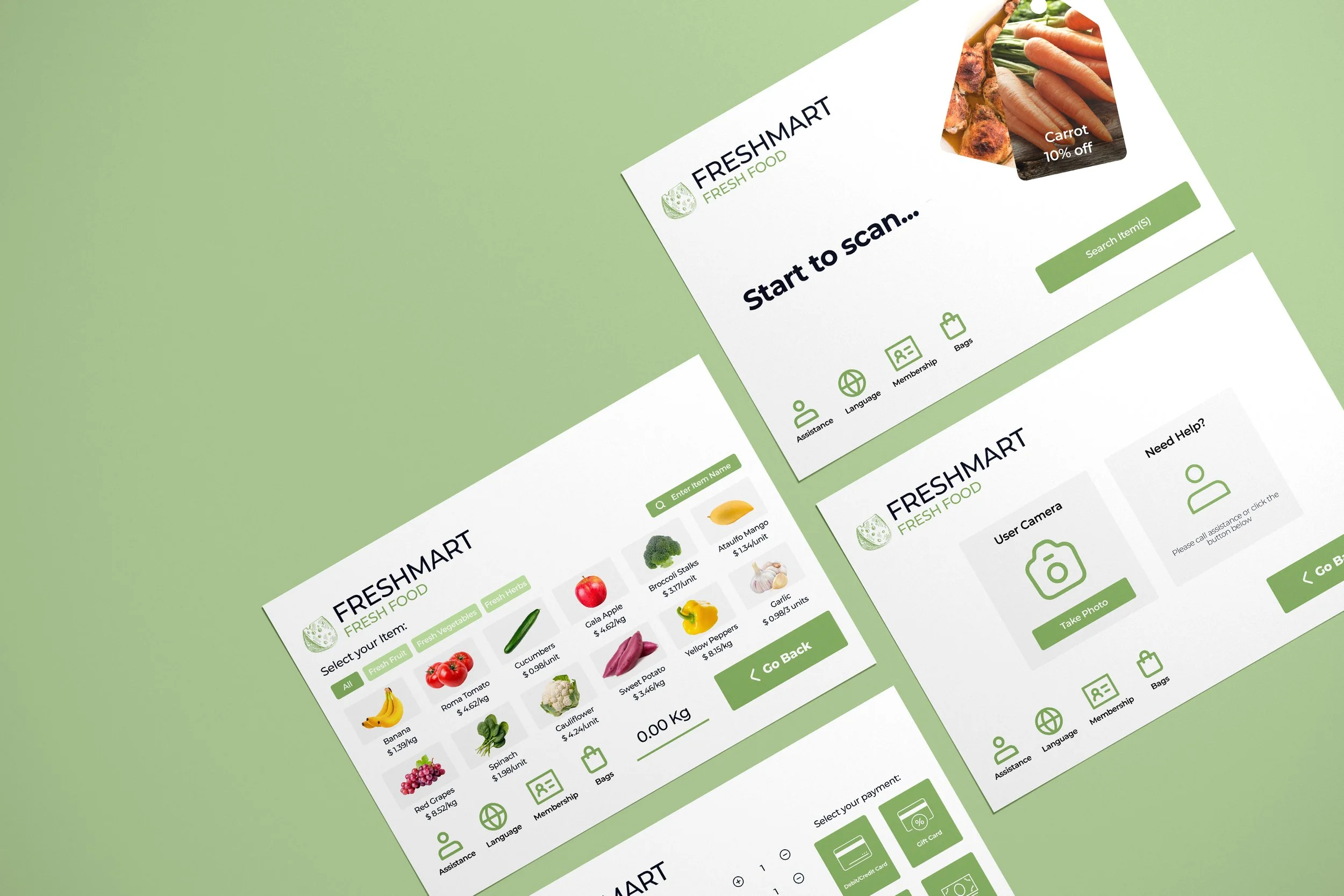
UI/UX Design | Self-Checkout | Expedious | Simplest
This system is optimized for shopper time efficiency, catering to various consumer needs, including age-restricted and security-tagged items. It provides multiple payment options and a simple interface with clear icons and instructions for an easy shopping experience. Focused on saving customer time at checkout, it also offers an assistance feature for immediate help, ensuring a seamless experience.
Role
UI/UX Designer
Team
Solo
Skills
Figma; Adobe suite
Time
Dec 2022
Main Goals
The system aims to design the simplest possible user interface with clear instructions and intuitive icons. Its focus is on making self-checkout technology accessible to all, including those who may not be familiar with it, through user-friendly assistance features and helpful guidance. Moreover, the system is committed to accommodating a wide range of customer needs, including the purchase of special items like fresh products and age-restricted items, ensuring that the self-checkout machines provide a comprehensive and inclusive shopping solution.
Research Phase
Initial Reseach
What features or aspects of self-checkout systems do you find most helpful in saving time during your shopping trips?
A short survey directly engages with shoppers to understand their needs, preferences, and pain points when using self-checkout machines.
Quick scanning and bagging
Easy navigation with clear instructions
Assistance feature for troubleshooting
Have you ever encountered difficulties when purchasing special items?
Talk with customers to help ensure that the self-checkout system aligns with user expectations, functions effectively, and provides a positive and efficient shopping experience.
Buy fresh, age-restricted product
Limited payment methods
Reseach Phase 2

Have you ever needed assistance while using a self-checkout system? If so, could you share a specific instance and explain what kind of help you require?
"I got stuck when trying to pay with cash, and I had to ask for assistance."
"Yes, once I couldn't get a security tag off a wine item, and I needed help from an assitance."

Can you describe your typical experience when using a self-checkout machine? What aspects do you find convenient, and where do you encounter challenges?
"I find self-checkout convenient because it's quicker, but I struggle with scanning fresh products."
"I like the ease of use, but sometimes I need help when I'm buying alcohol."
"I generally enjoy self-checkout, especially for small purchases. However, I've had issues with it not recognizing certain items."

How important is it for you to be able to purchase special items using a self-checkout machine? Are there any specific concerns you have regarding the process of buying these items through self-checkout?
"I needed help when the machine couldn't read the barcode on a fresh fruit."
"It's crucial for me to be able to buy fresh products through self-checkout, but I worry about the accuracy of the weighing process."
"Buying age-restricted items through self-checkout is important for convenience, but I want a secure age-verification process in place."
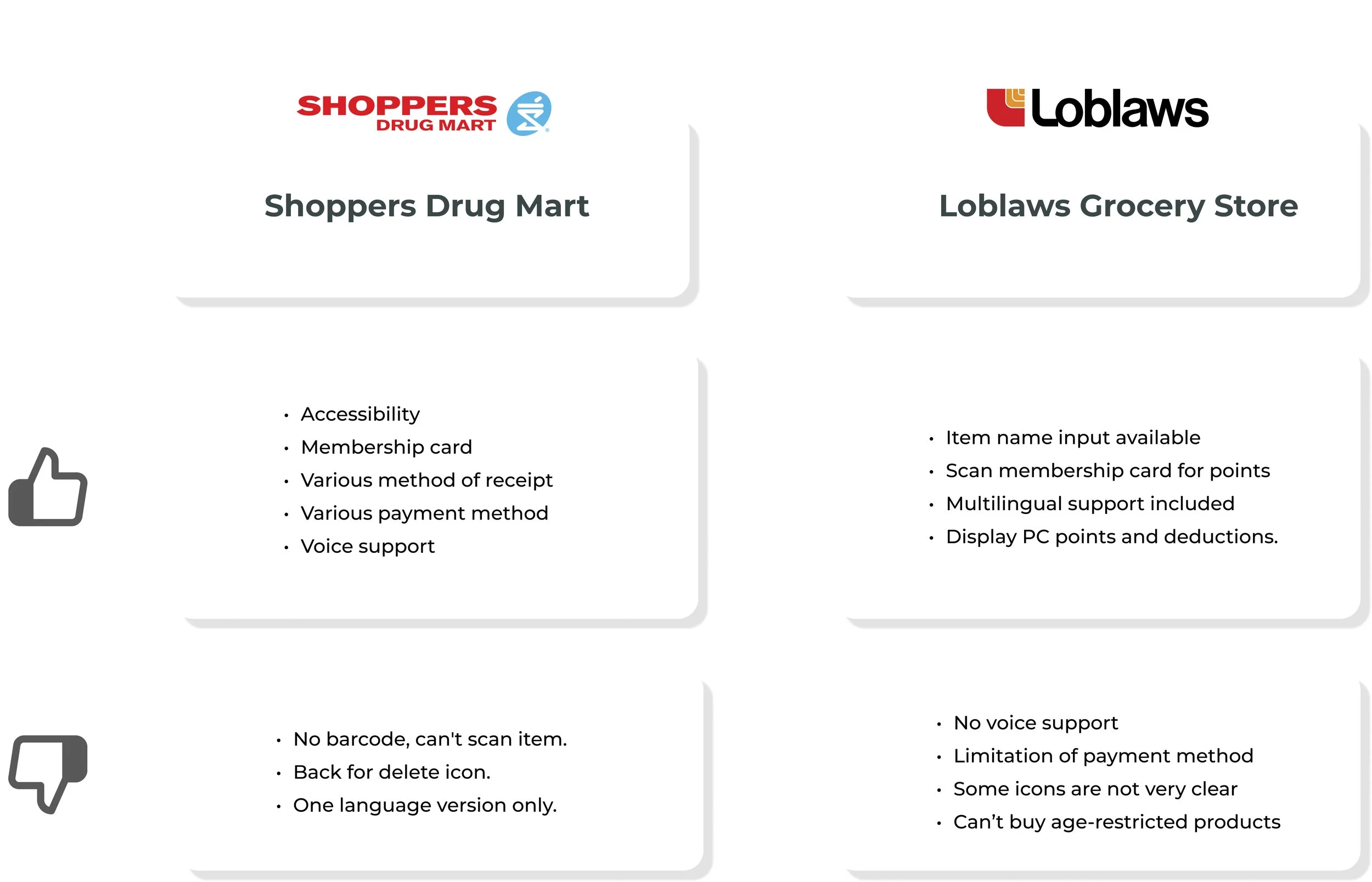
Competitor Analysis
Affinity Diagram
In the fourth stage of the affinity diagram process, I move beyond data collection and categorization to draw meaningful insights and conclusions from organized information.
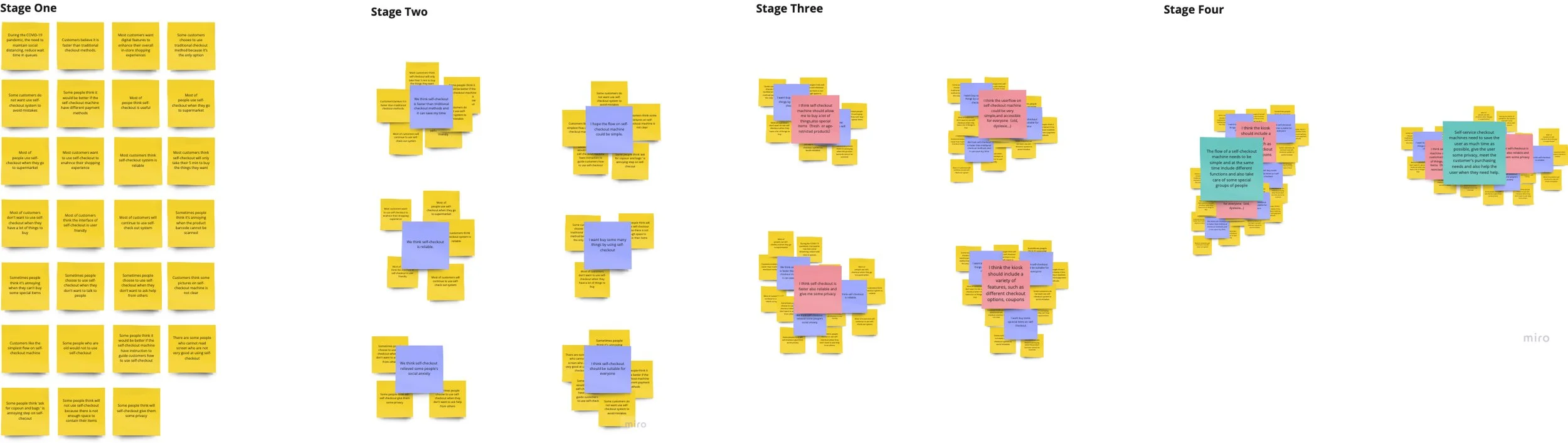
Inclusion of Fresh and Age-Restricted Products:
Clear Visual Instructions:
Security Tag Removal:
Assistance Feature Importance:
Insights
How might we make it possible for guests to buy special items(Fresh products/Age-restricted products/products with security tags) on the self-checkout machine?
How might we make the user flow of the self-checkout system simple for customers to save time during shopping?
How might we help people who are not familiar with technology to use self-checkout machines?
Problem Statement
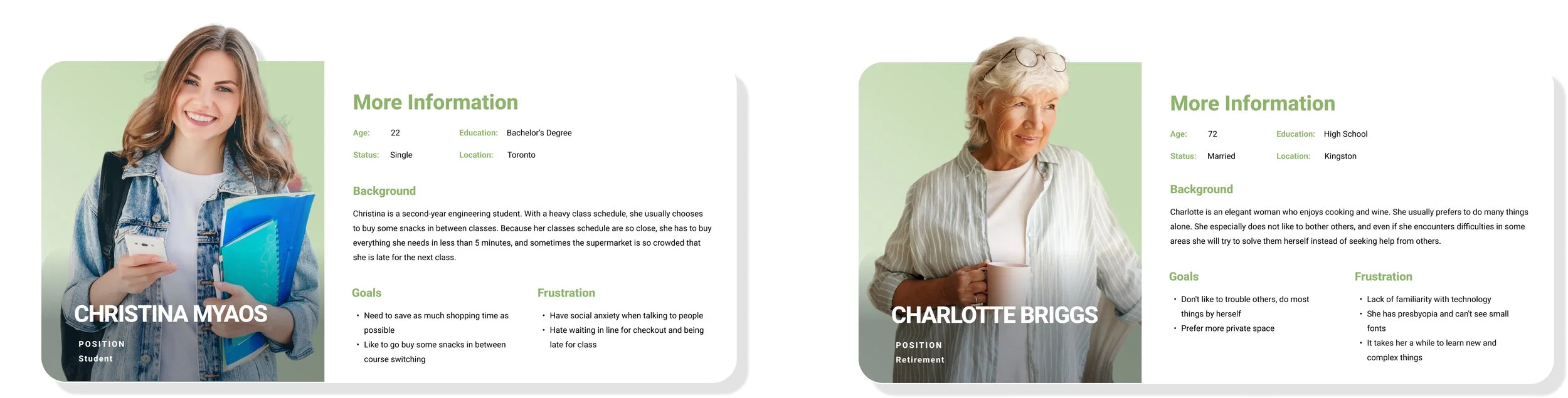
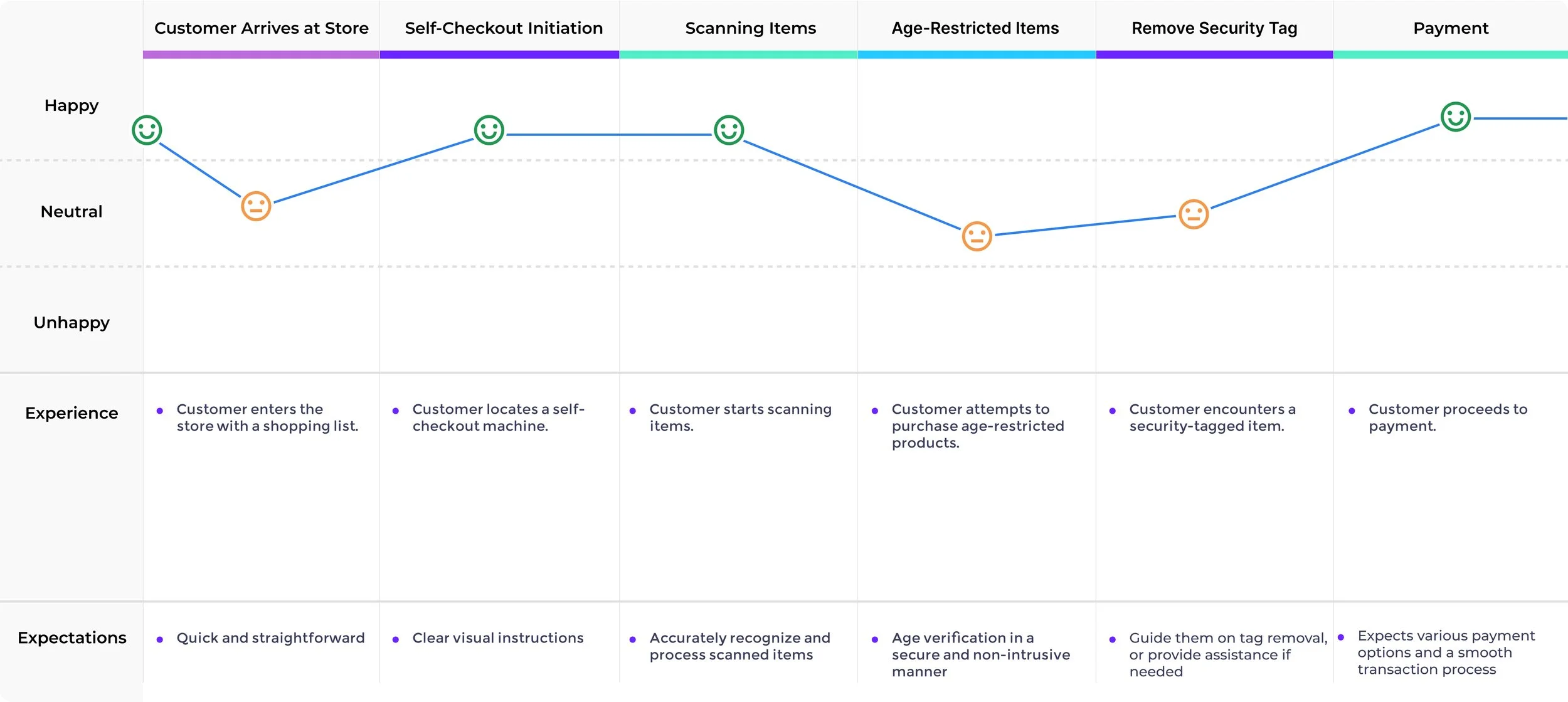
Persona & User Journay Map
Ideation
Sketchs
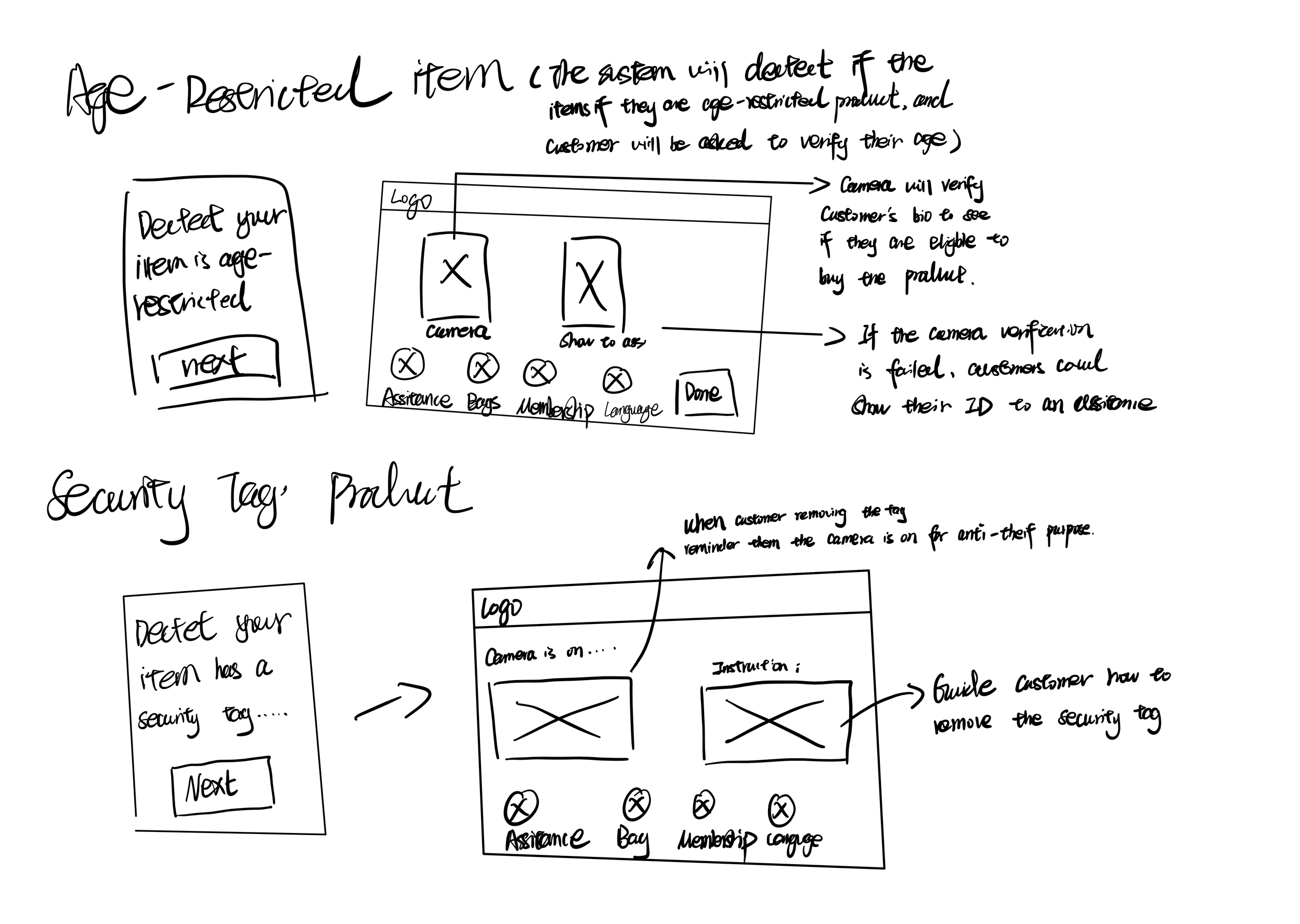
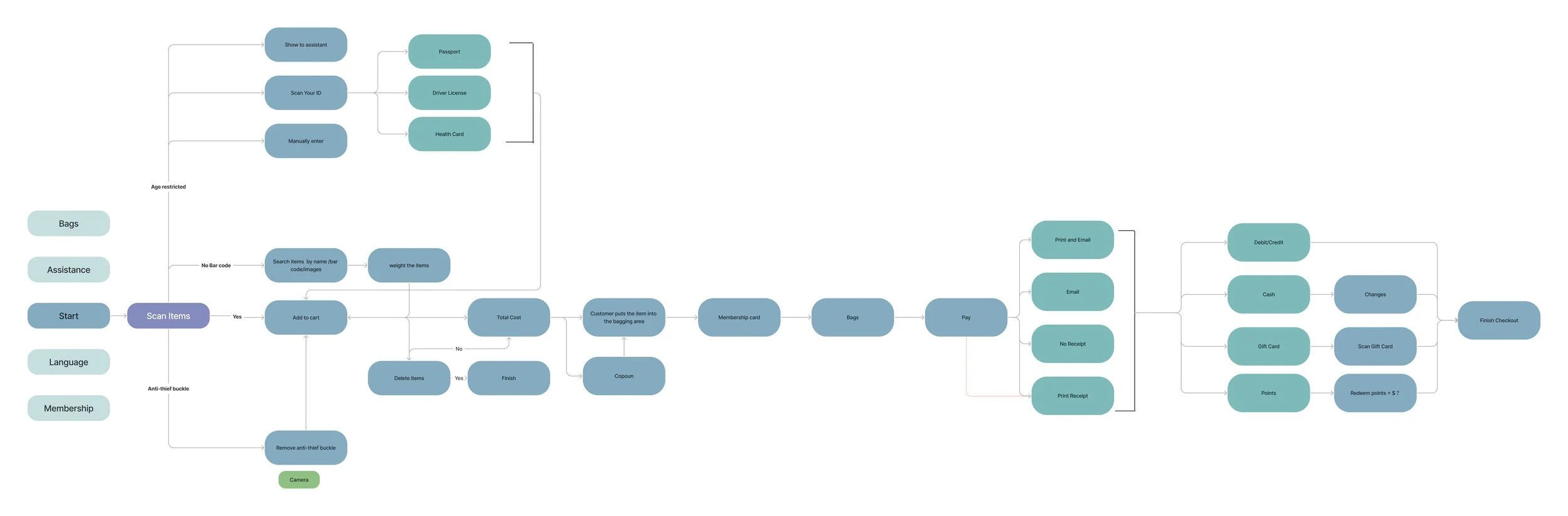
The objective of the sketch is to formulate a comprehensive plan that integrates user-friendly features for purchasing age-restricted and security-tagged items, clear visual instructions, and a robust assistance feature.
User Flow
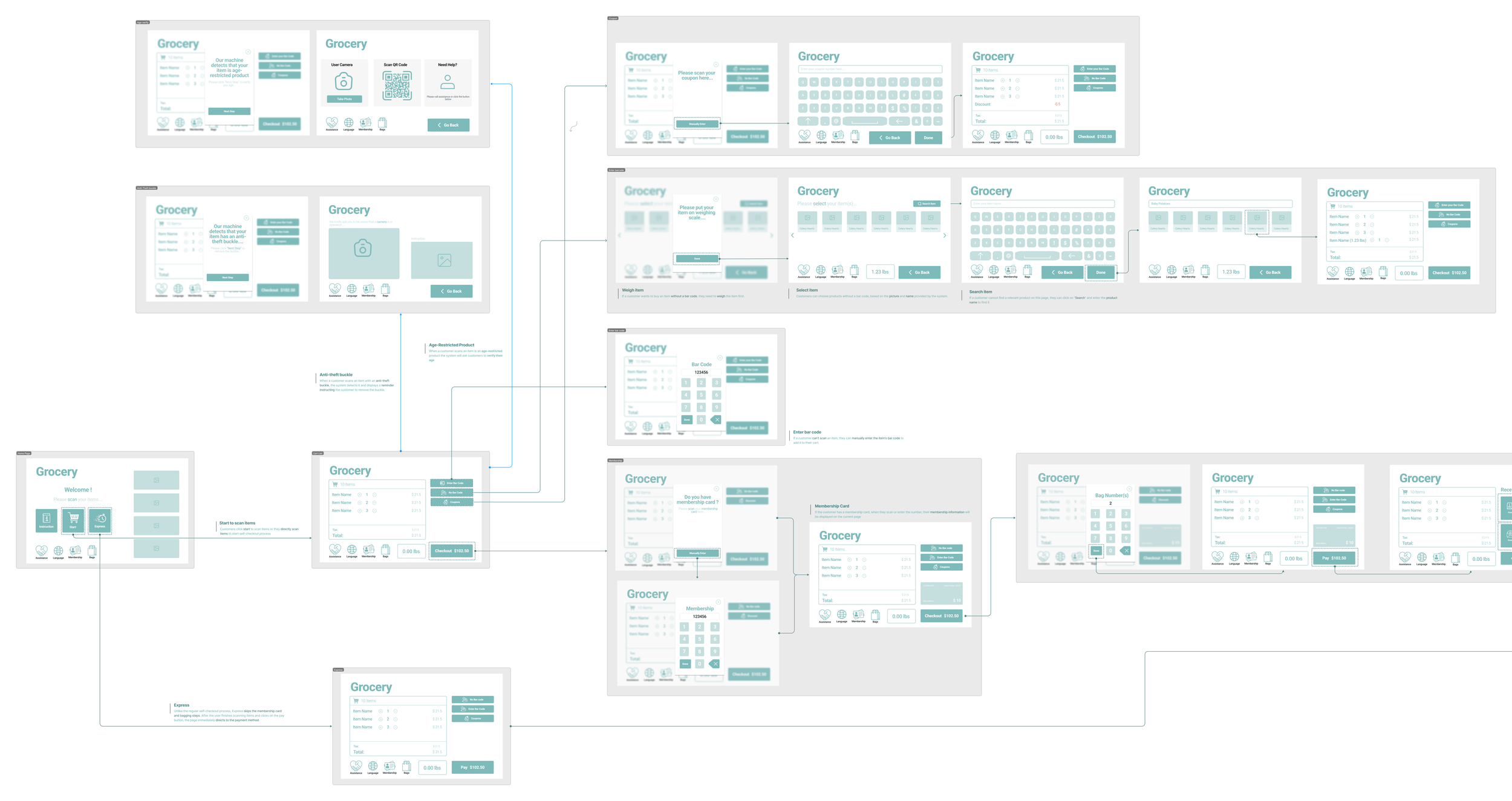
Initial Prototype
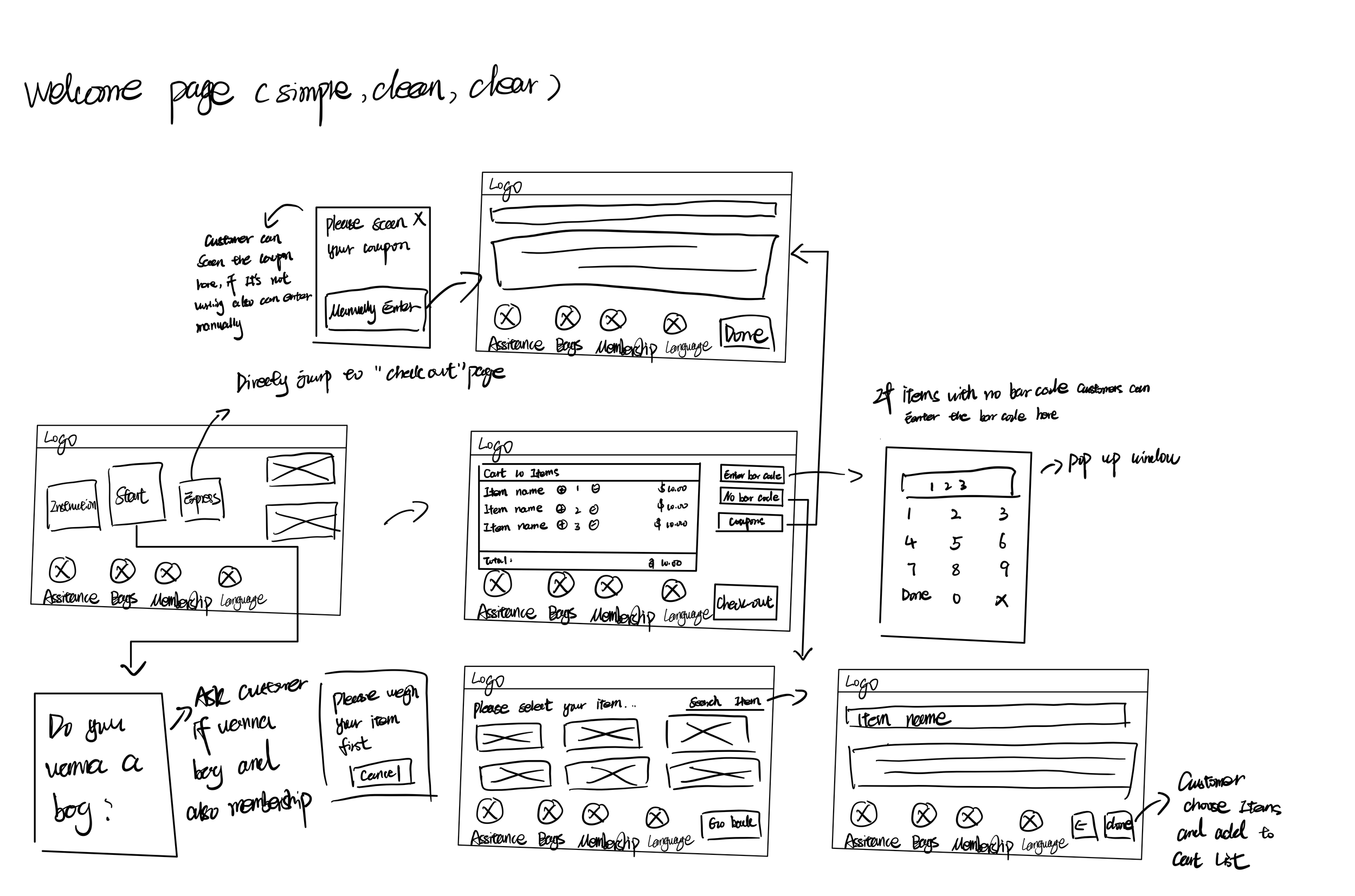
The wireframes will be pivotal in ensuring that the self-checkout solution effectively accommodates age-restricted and security-tagged products while maintaining a user-friendly and efficient design. View Wireframes
Express
After the user finishes scanning items and clicks on the pay button, the page immediately directs to the payment method
Instruction
The function of “Instruction” is to guide those who are not familiar with high-tech to use the system better.
No bar code
Users only want to buy no-barcode products, they have to click “start” then they can start the process of buying no-barcode products
User Test Result 1
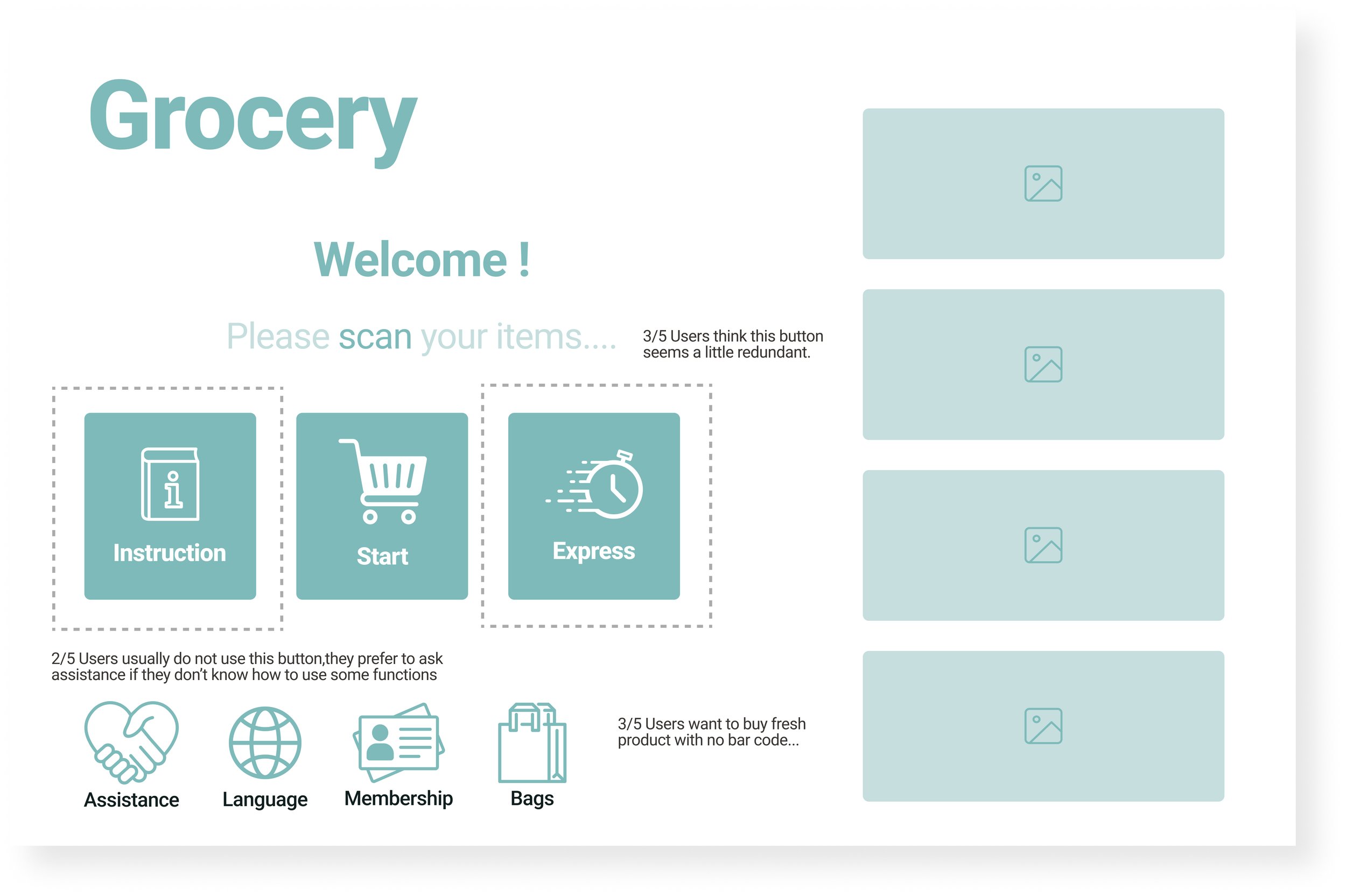
Remove Redundant Buttons
Remove the “Express” and “Instruction” buttons to reduce redundant user actions
Improvement 1
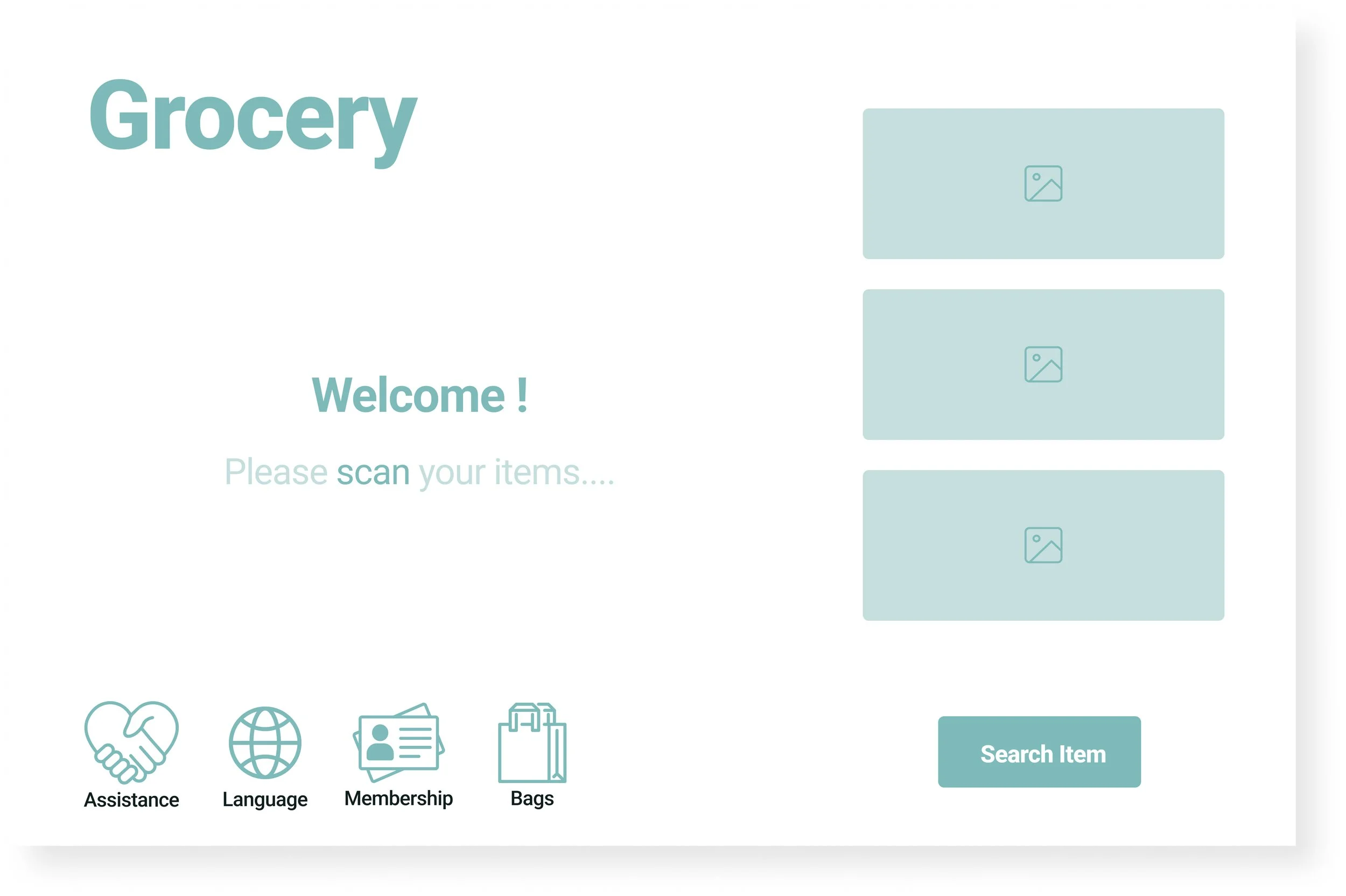
Search Item
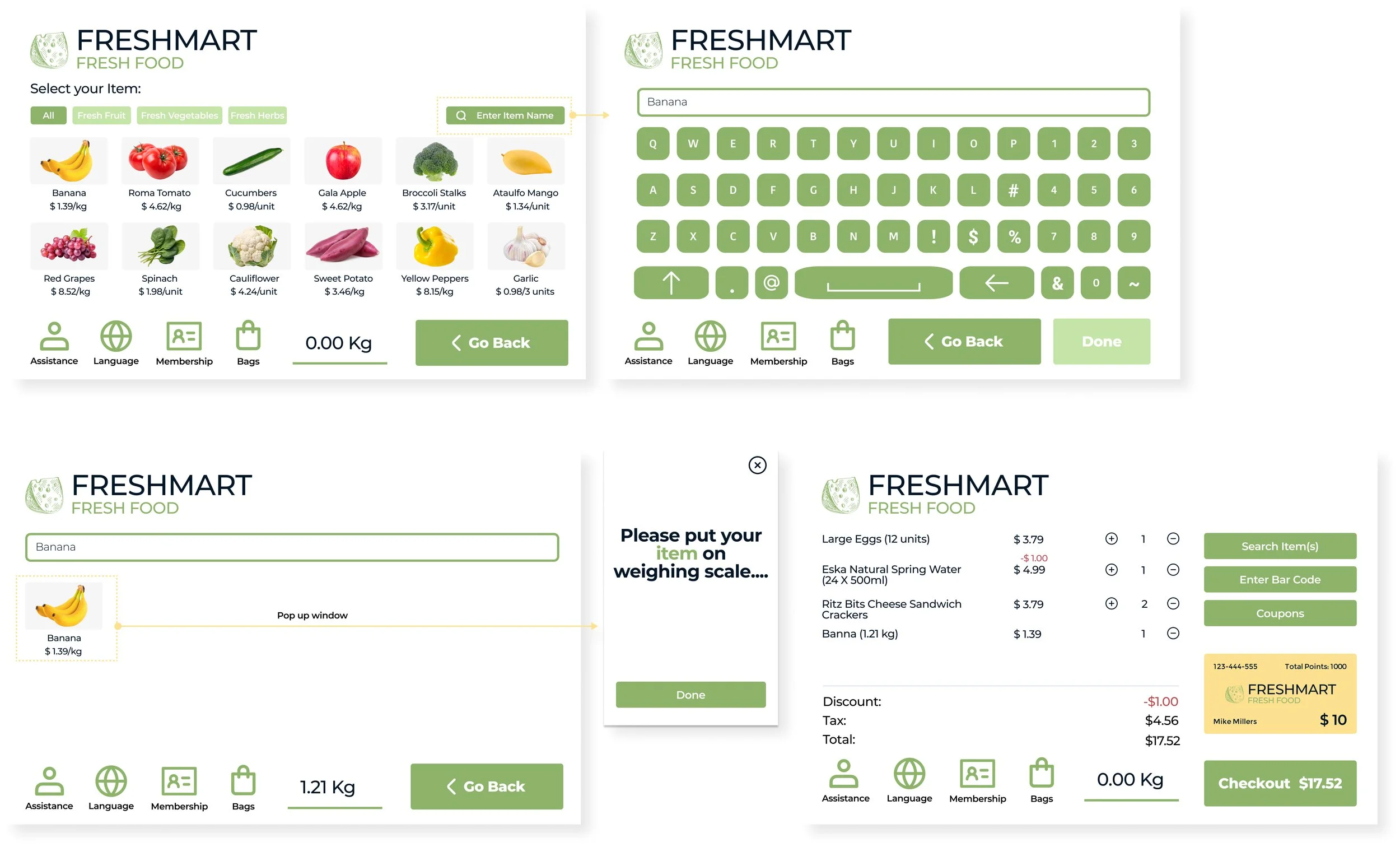
Add a “Search Item” button to bring more convenience for users who only want to buy fresh products with no barcode.
Weigh Item
Customers have to weigh no-barcode items before they add the item to the cart list, but customers feel a little bit confusing about the flow
User Test Result 2
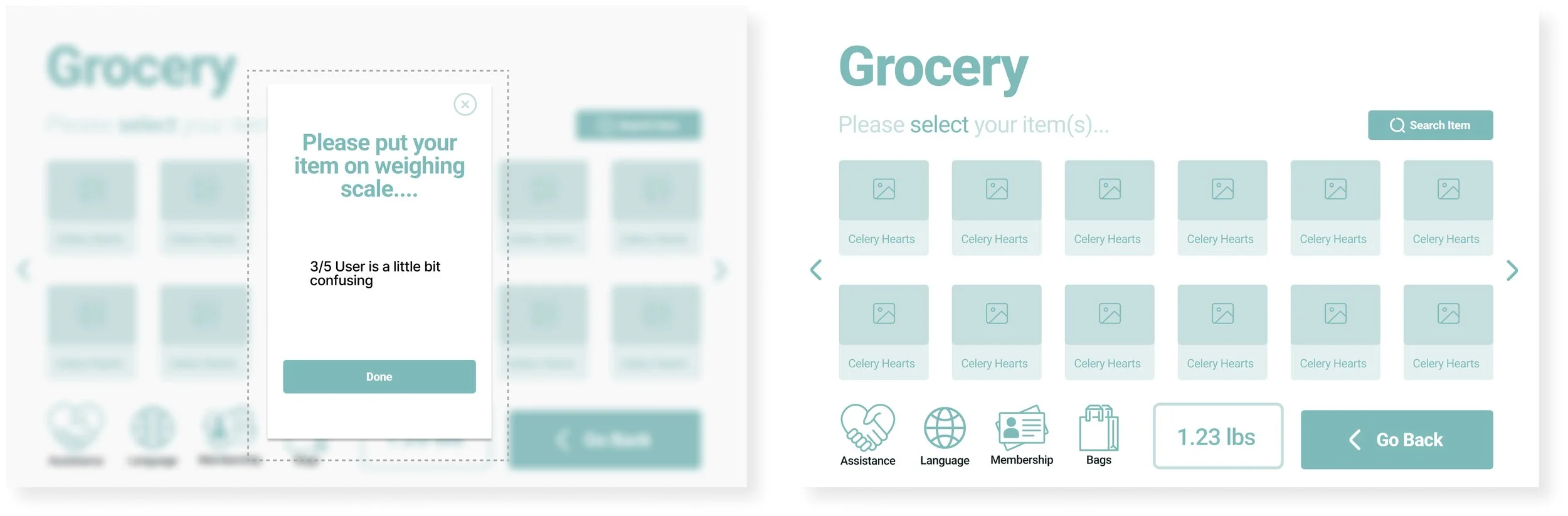
Change Flow of Weigh Item
When customers click on the item they want in the meanwhile a window will be popped up to remind customer put their item on the scale to weigh
Improvement 2
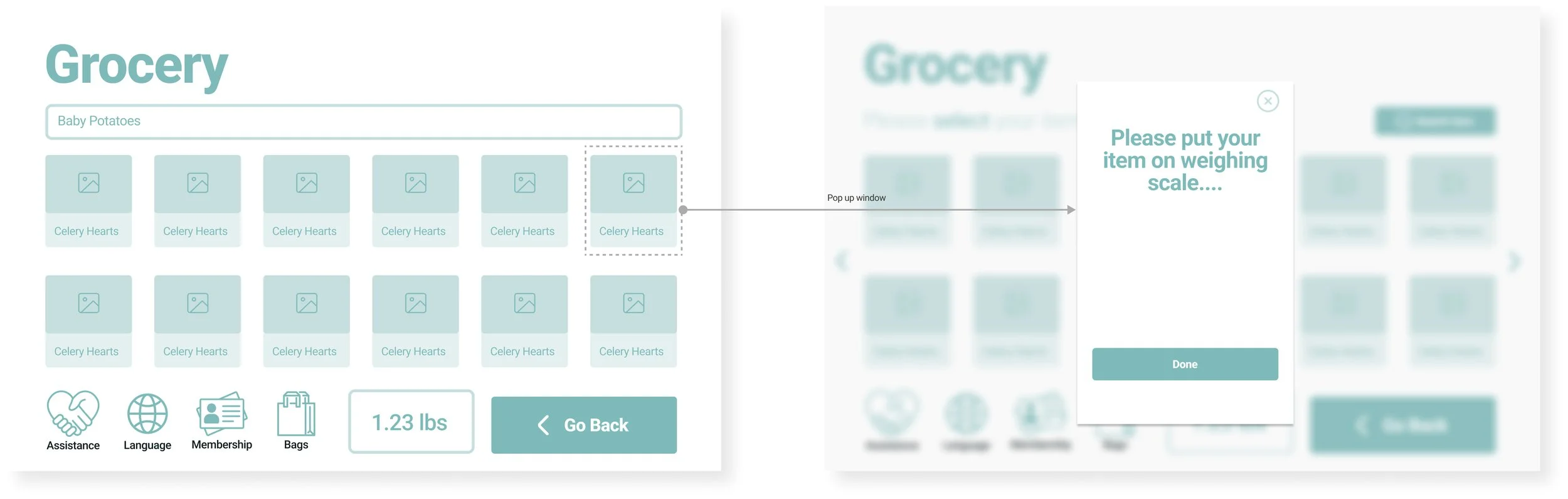
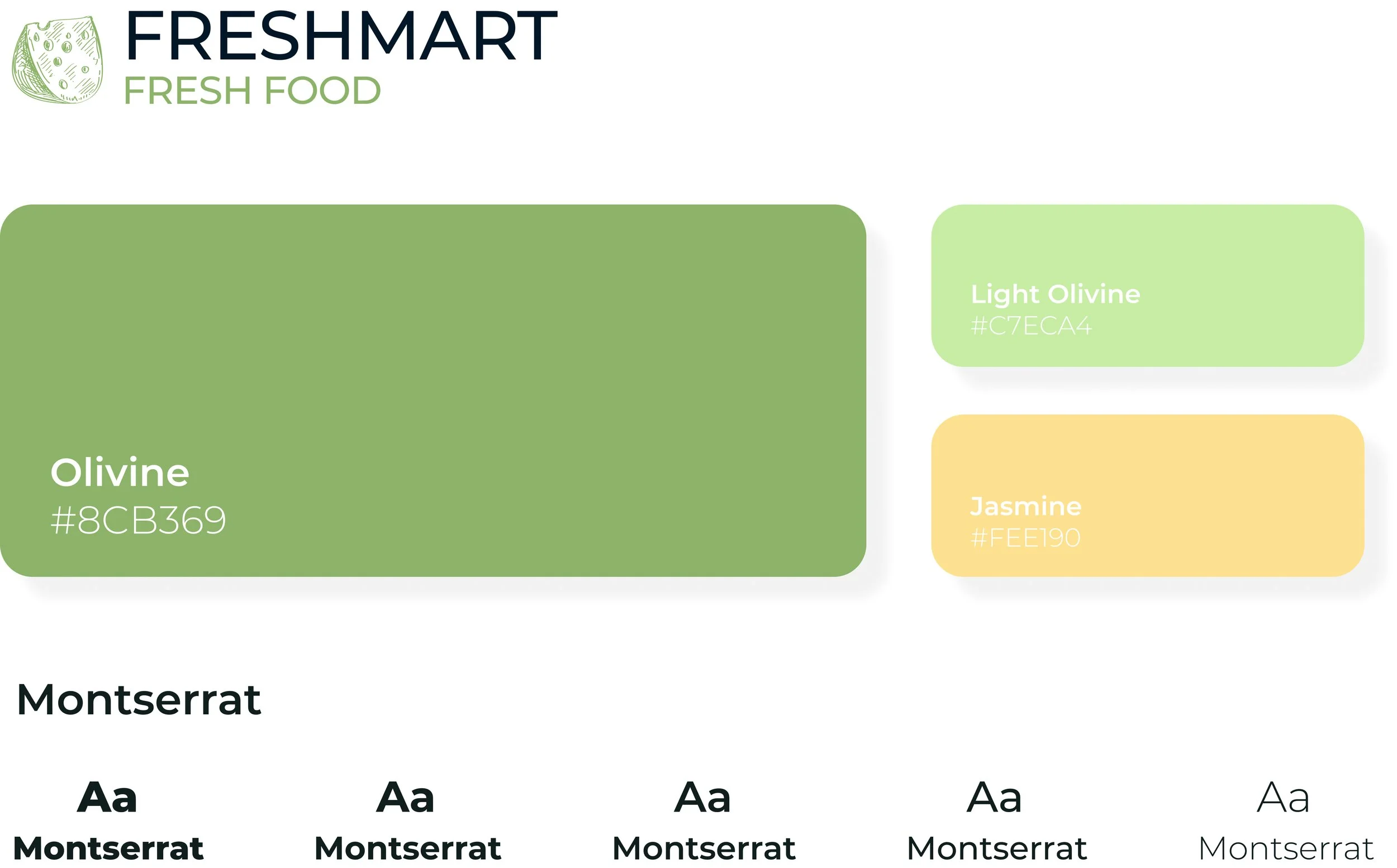
Style Guide
Final Design
High-fidelity prototypes will be designed and tested rigorously to ensure that the self-checkout system aligns precisely with user expectations and preferences.
When using the self-checkout machine, customers are prompted to scan items on the main screen. For assistance or extras like bags, a button is available at the bottom right. To ensure a fast checkout, options for bags or scanning membership cards won't automatically appear during the process.
Checkout Process
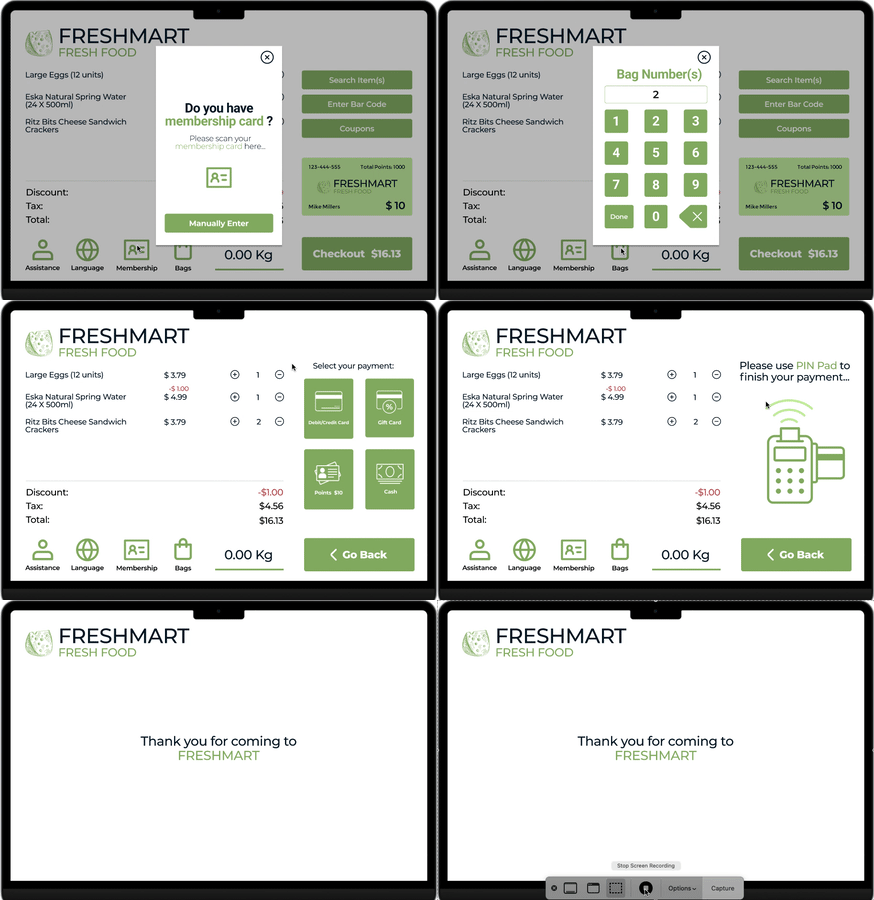
When a customer wants to purchase fresh products that do not have scannable codes, they have the option to input the product's name and then weigh it before adding it to their shopping cart.
Buy Fresh Products
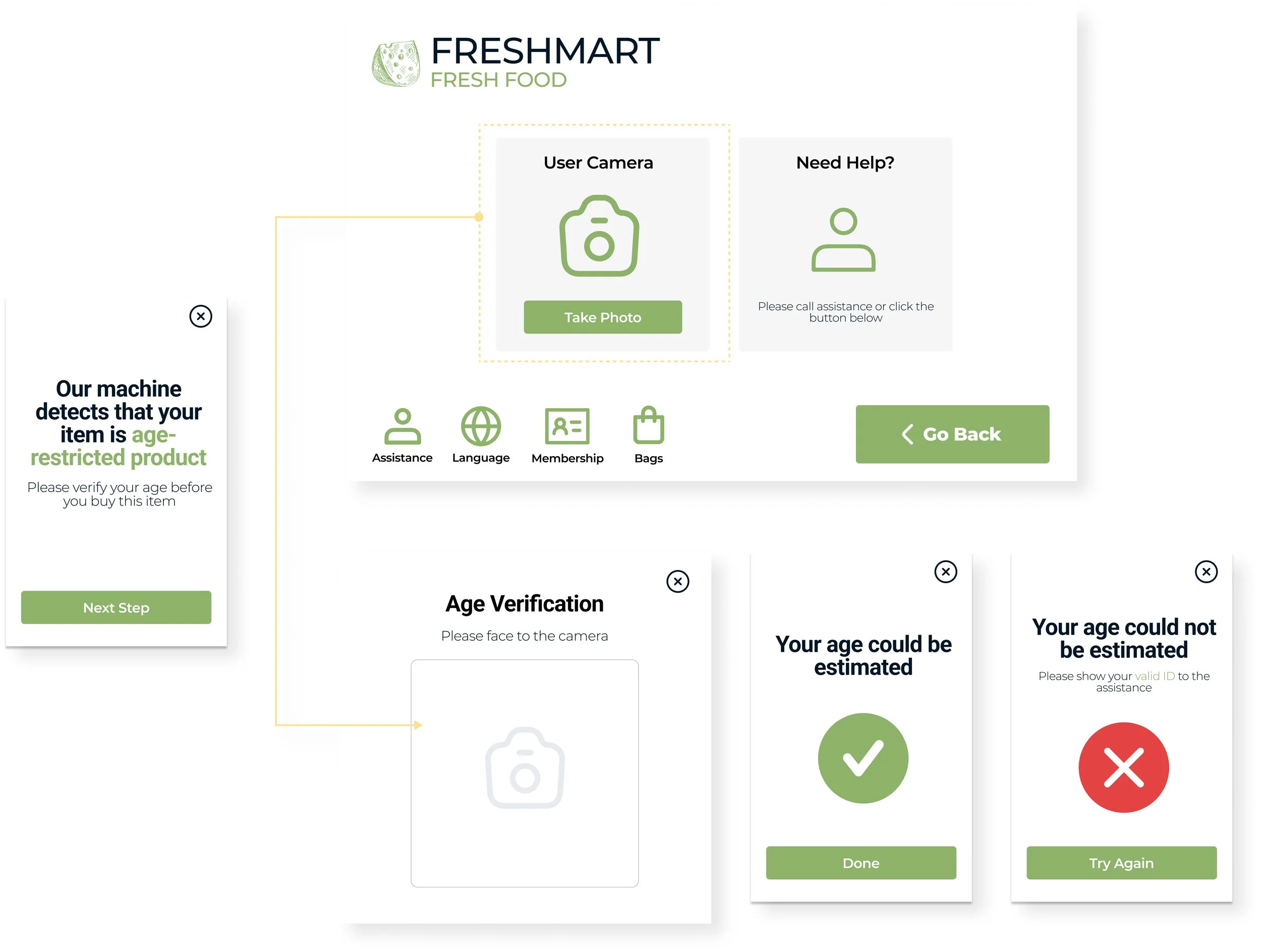
To purchase age-restricted items, the system prompts for age verification via camera or directly with staff.
Camera verification analyses the customer's face; if unsuccessful, a valid ID must be shown to staff.
Customers can also opt to verify their age by presenting their ID to a staff member directly.
Buy Age Restrcited Product
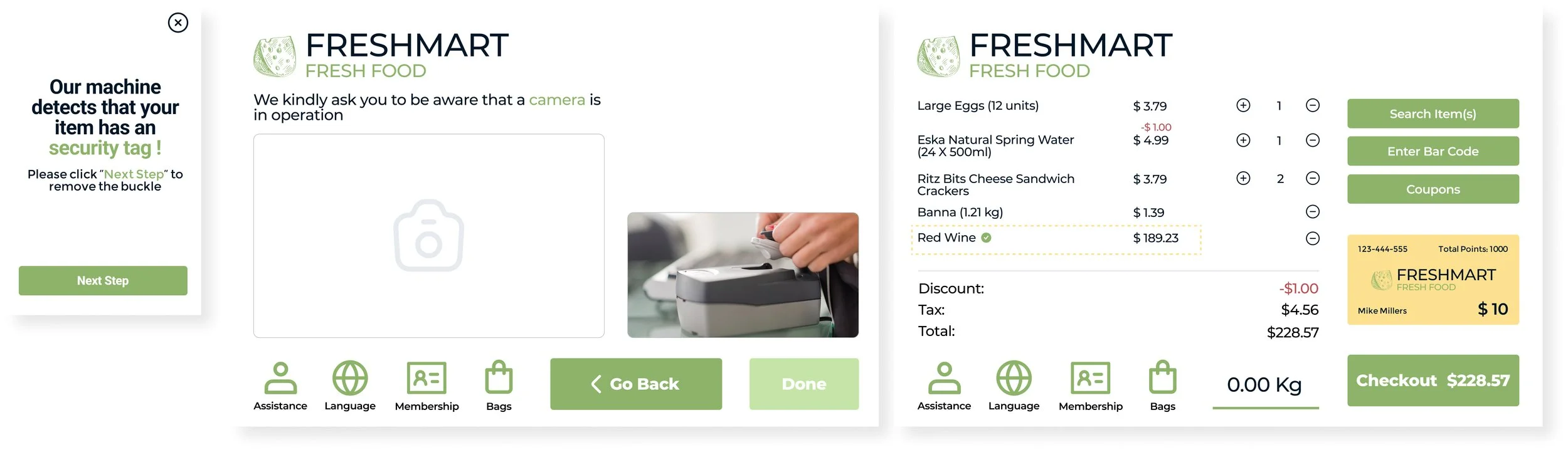
When a customer intends to purchase a product with a security tag, the system will identify the presence of the security tag and guide the customer on how to remove it.
Buy Product with Security Tag
Reflection
The system aims to improve self-checkout, especially for age-restricted and security-tagged items, with visual instructions and assistance features. However, reflection is crucial to ensure it truly optimizes the shopping process.
How well does it handle these items and what improvements are needed?
Are the instructions effective and clear enough?
How often is the assistance feature used and what do users think about its effectiveness?
How does the system meet user expectations and what changes could make the checkout journey better align with their needs and emotions?